Clicking on the product picture or the more details button will take the customer into the Product More Details page.
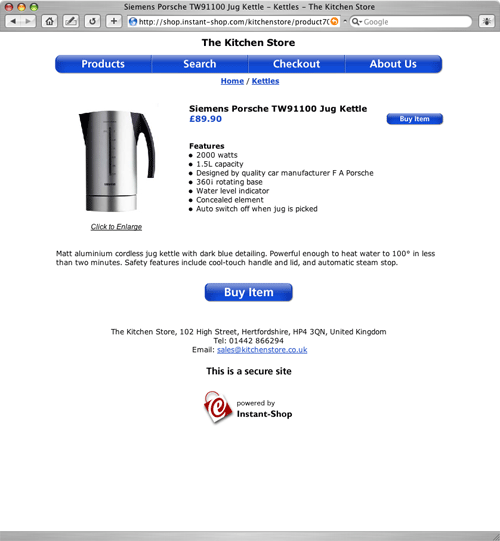
The more details page will show more information about the selected product with a bigger picture, more description, features, more pictures and links. The Pro version will also show any related products.
By default Instant-Shop will show the picture on the left hand side at 200 x 200 pixels. The positioning and the size of the image can all be adjusted in the Appearance screen.
If the product picture is larger than the displayed it will automatically show a link to view the full sized image.
If a full description has been entered it will be shown on this page otherwise Instant-Shop will use the summary text instead.
If the product has subproducts or options they will be shown in this page. If the product has both subproducts AND options, the more details page will show the subproducts first. After the user has selected a subproduct they will be asked to select their options.
If the user clicks the 'Buy' button the product will be added to their shopping basket. The customer will be taken into the checkout with the new product added.
If the shop has a shopping basket window the product will be added to this window and the customer will be returned to the product list where they can continue their shopping.
Instant-Shop™ User Manual