The home page is the first page that the user will see when they log on to the site.
It will show either the top level categories or if there are no categories defined it will show the products.
There can also be a welcome message and text entered to help introduce the site to the customer.
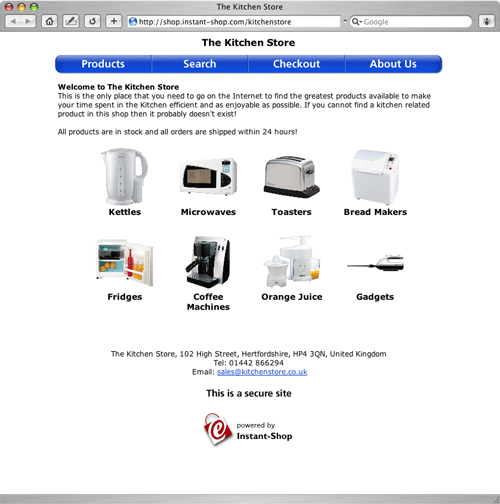
Instant-Shop will attempt to make the grid of categories as square as possible, eg 1 x 1, 1 x 2, 1 x 3, 1 x 4, 2 x 3 , 2 x 4 etc. It will also optimise the size of the category pictures to best take advantage of the available space.
If there are no category pictures defined then Instant-Shop will just list the name of the categories in a list.
If only some of the category pictures are some missing then the missing category pictures are substituted with a grey Instant-Shop logo. To get rid of these logos simply apply a category picture to that category.
Clicking on any of the categories will take the user into a subcategory page if subcategories exist for the chosen category, otherwise it will take them to the product list for that category.
Instant-Shop™ User Manual