If the wording on products prices can be changed very easily. You can define your own price prefixes and price suffixes eg "Special Offer: £20.00 for 100". When the product price is displayed on the site it will include this text.
To change the price text select 'Price Text' on the 'Options' menu
from the Product Database screen.
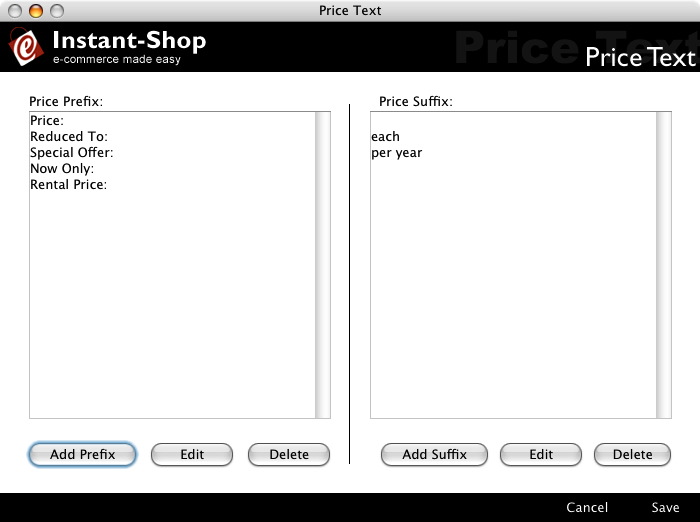
Price Prefix
The Price Prefix list is the list of available options on the product entry screen. The price prefix is the text that appears at the front of the price eg 'Special Offer:'.
Click the 'Add Prefix' button to add a new prefix.
Highlight the prefix and the click 'Edit' to edit an existing prefix.
Highlight the prefix and the click 'Delete' to delete an existing prefix.
The price prefix text is stored with the product so changing the prefixes in this screen will not affect existing products.
The colon at the end will be added automatically.
Price Suffix
The Price Suffix list is the list of available options on the product entry screen. The price suffix is the text that appears at the end of the price eg 'per year'.
Click the 'Add Suffix' button to add a new suffix.
Highlight the suffix and the click 'Edit' to edit an existing suffix.
Highlight the suffix and the click 'Delete' to delete an existing suffix.
The price suffix text is stored with the product so changing the suffixes in this screen will not affect existing products.
Instant-Shop™ User Manual