When an order is placed Instant-Shop will send an email to the customer and to the shop owner confirming the order. The introduction text to this email can be customised.
To change the text on the order confirmation email select 'Order Confirmation Email' on the 'Options' menu from the Product Database screen.
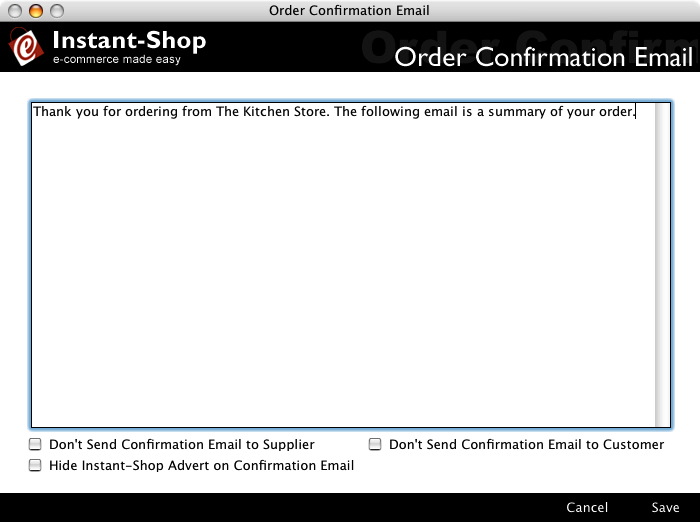
Don't Send Confirmation Email to Supplier
If you do not want to receive notification of each and every order that you are receiving then click this email. This is useful if you are receiving many orders per day.
Don't Send Confirmation Email to Customer
If Instant-Shop has been linked with a payment gateway, then many payment gateways issue their own payment advice email to the customer. Enable this option if you want to stop Instant-Shop sending it's own email to the customer as well.
Hide Instant-Shop Advert on Confirmation Email
It pays to advertise! Instant-Shop sends out it's own advert at the bottom of each email confirmation but if you really want to turn this option off then you can (Pro only)
Instant-Shop™ User Manual