Instant-Shop can run in any currency format by default. This will be automatically selected based on the country in which you have opened your store. Eg British shops will be in pounds and American shops will be in US Dollars.
To change the default currency select 'Currency' from the 'Options' menu from the Product Database screen.
If you have Instant-Shop Pro you can set up different currencies using
the Exchange Rate screen. This screen will also be used for setting
up the extra currencies.
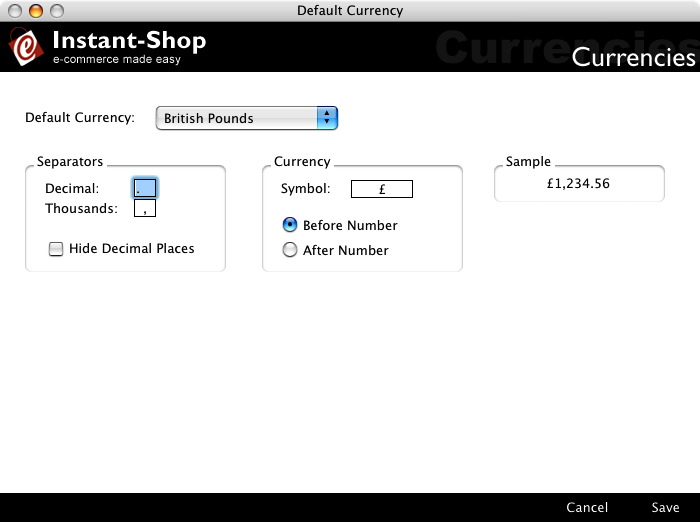
Default Currency
Instant-Shop allows you to enter any format of currency. The default currency popup menu allows you to choose from some common types. Selecting a default currency will setup the corresponding currency symbols and separators.
Separators
The decimal and thousands separators allow you to select the punctuation to use in between the thousands and decimals. Eg 1,000.00. If your currency does not use decimal places tick the hide decimal places check box.
Currency
Instant-Shop allows you to enter your own currency symbol eg £ or $. If the currency symbol appears at the end of the number choose after number eg 1,000 Fr.
Sample
The sample field shows a preview of how your currency will be formatted on the site.
Instant-Shop™ User Manual